Green Rokya Tower (2nd floor), Shagor Para, Ghoramara, Boalia, Rajshahi-6100.
support@uniqueonlinebd.com
+8801789027071
Pay Bill
Pay Your Bill Online
Settle your internet bill quickly and securely through bKash or our Customer Portal — anytime, anywhere.
Secure Payment
Encrypted & trusted
Instant Update
Status in minutes
24/7 Available
Pay anytime, anywhere
Mobile Banking
Pay Bill through bKash
Follow these simple 3 steps to pay your internet bill using bKash
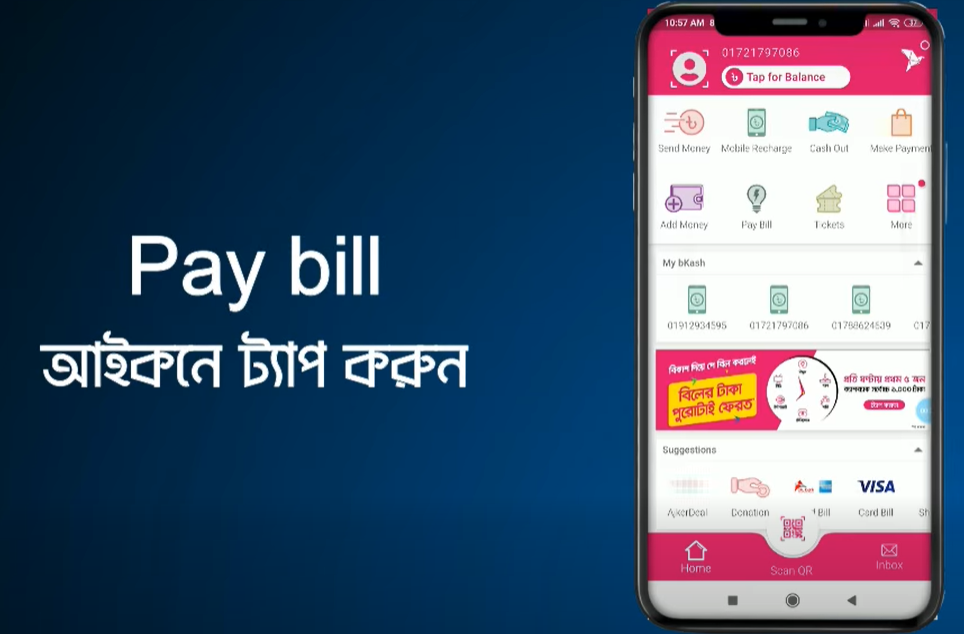
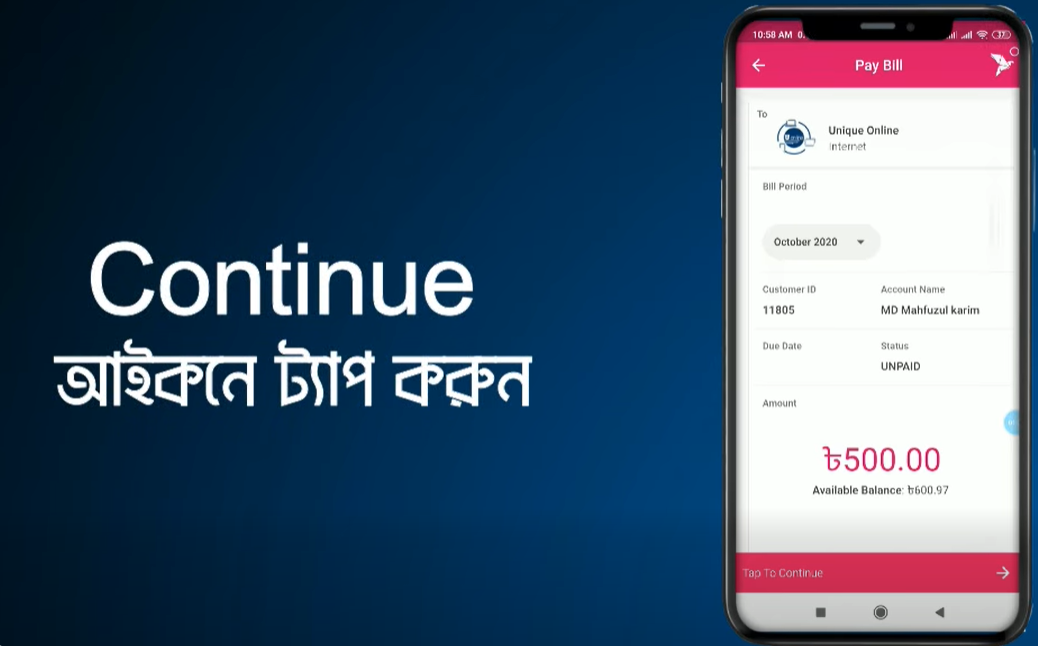
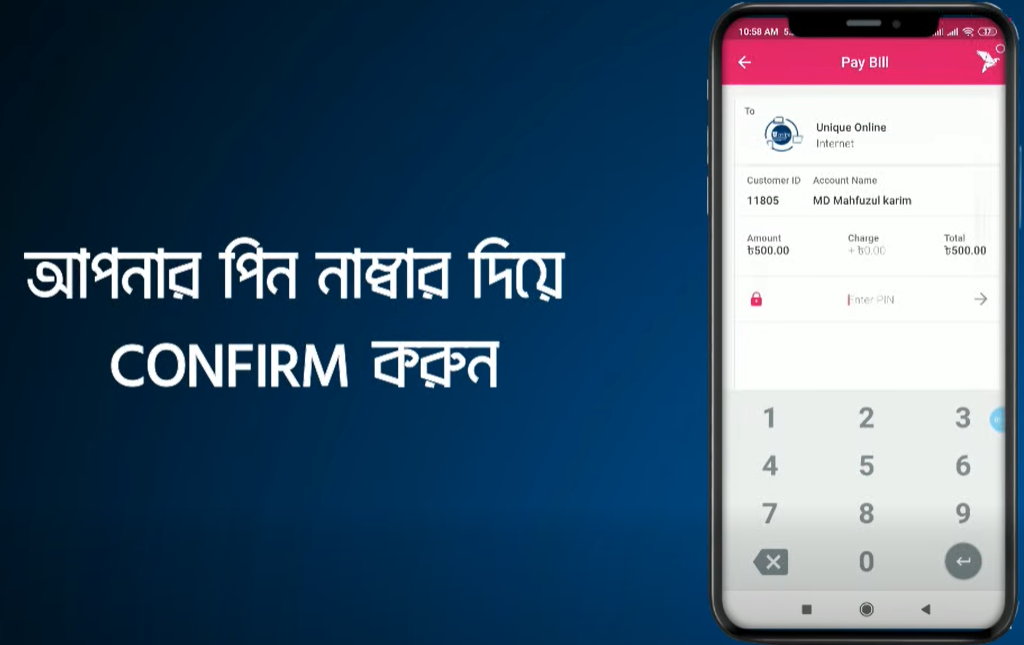
Login to your bKash account with your account's PIN number and tap on "Pay Bill" option from the home screen.
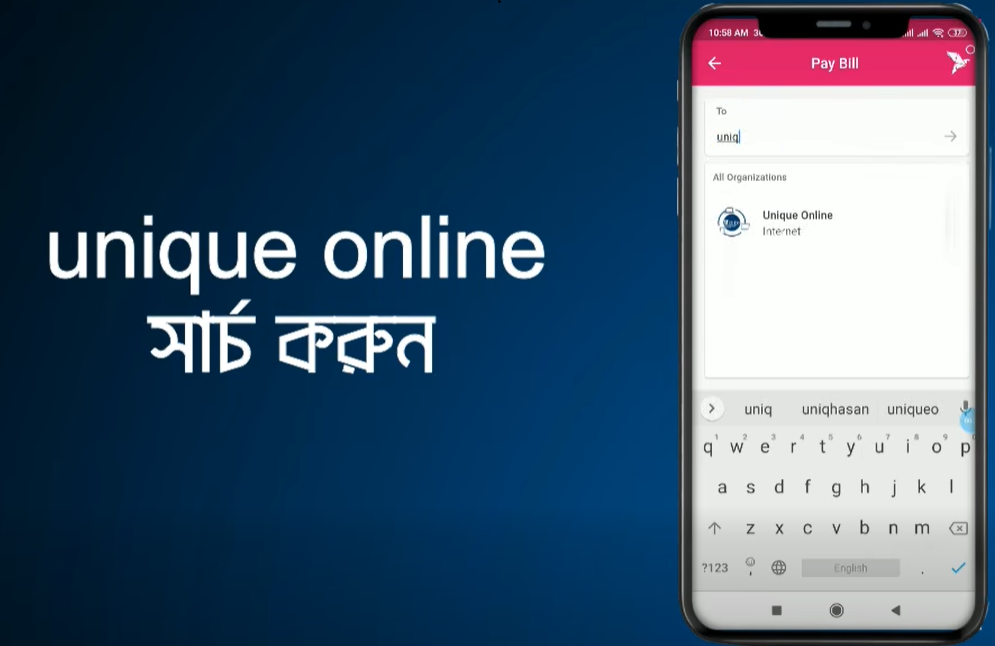
In "Pay Bill" option you'll find "Unique Online". Simply tap on it and follow the next step.
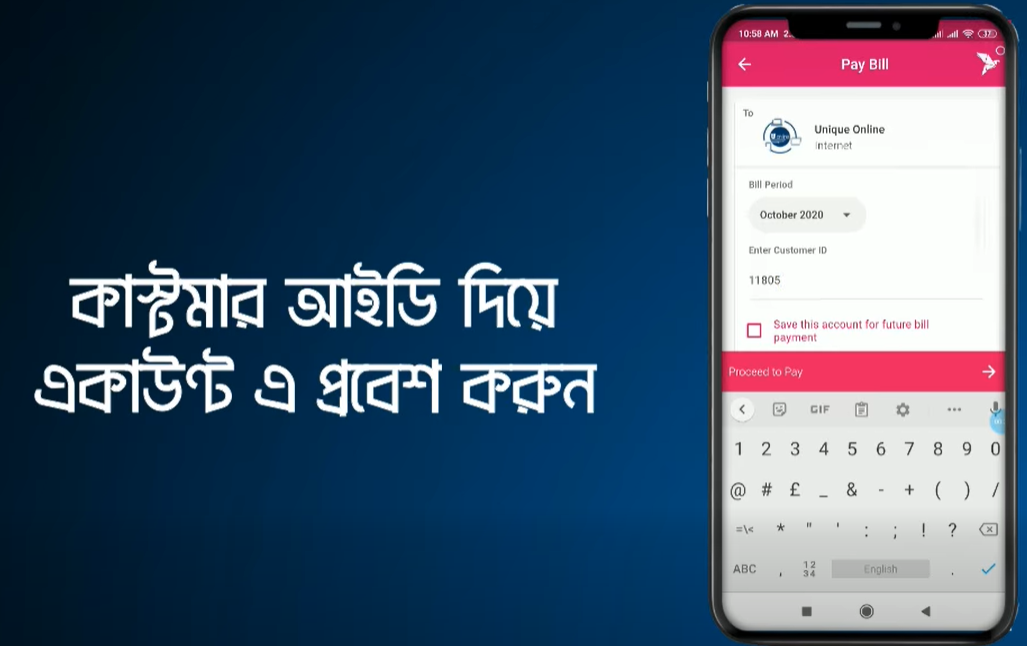
Now select your internet billing timeline in "Bill Period" box & input your customer ID in "Bill Account Number" box.
If you want to save the payment info for quick payment, simply tick the checkbox "Save this account for future bill payments".
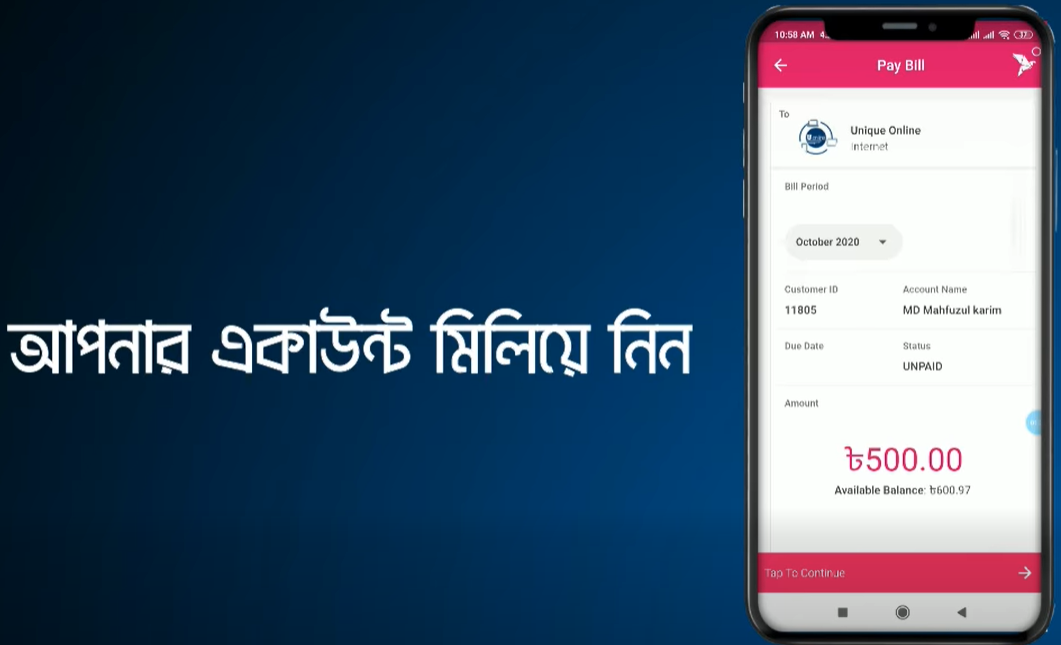
After that, tap the "Pay Bill" button & hold the pay button for a few seconds. You're done! ✅
"Unique Online" এর বিল পরিশোধ করুন
বিকাশ এর মাধ্যমে
Video Tutorial
Step-by-Step Video Guide
Watch how to pay your internet bill easily through mobile banking
Need Help With Your Payment?
Our support team is available 24/7 to assist you with billing inquiries and payment options.
Contact Support